Paywall Examples for Product Designers: Optimizing UX for Monetization
In today’s digital era, monetizing content through paywalls is not only a revenue model but also an opportunity to refine user experience. For product designers, understanding the balance between value, accessibility, and conversion is essential. This article delves into various paywall examples and provides actionable insights from a design perspective, helping you create intuitive, user-centered paywalls that drive revenue and enhance brand perception.
What Is a Paywall and Its UX Implications?
A paywall is a digital barrier that restricts access to certain content, prompting users to subscribe or pay for full access. While the primary goal is to generate revenue, product designers must consider the user journey and ensure the paywall does not disrupt the overall experience.
Key UX Considerations:
- Seamless Integration: The paywall should blend naturally with your website or app design, maintaining brand consistency.
- Clear Messaging: Communicate the value proposition and what users gain by subscribing.
- Responsive Design: Ensure that the paywall functions well across devices, from desktops to mobile screens.
By focusing on these aspects, product designers can create paywalls that not only convert but also leave a positive impression on users.
Types of Paywalls and Design Challenges
Understanding the different types of paywalls can help product designers choose the model that best fits their audience and content strategy. Here are the primary models along with design challenges and examples:
1. Hard Paywalls
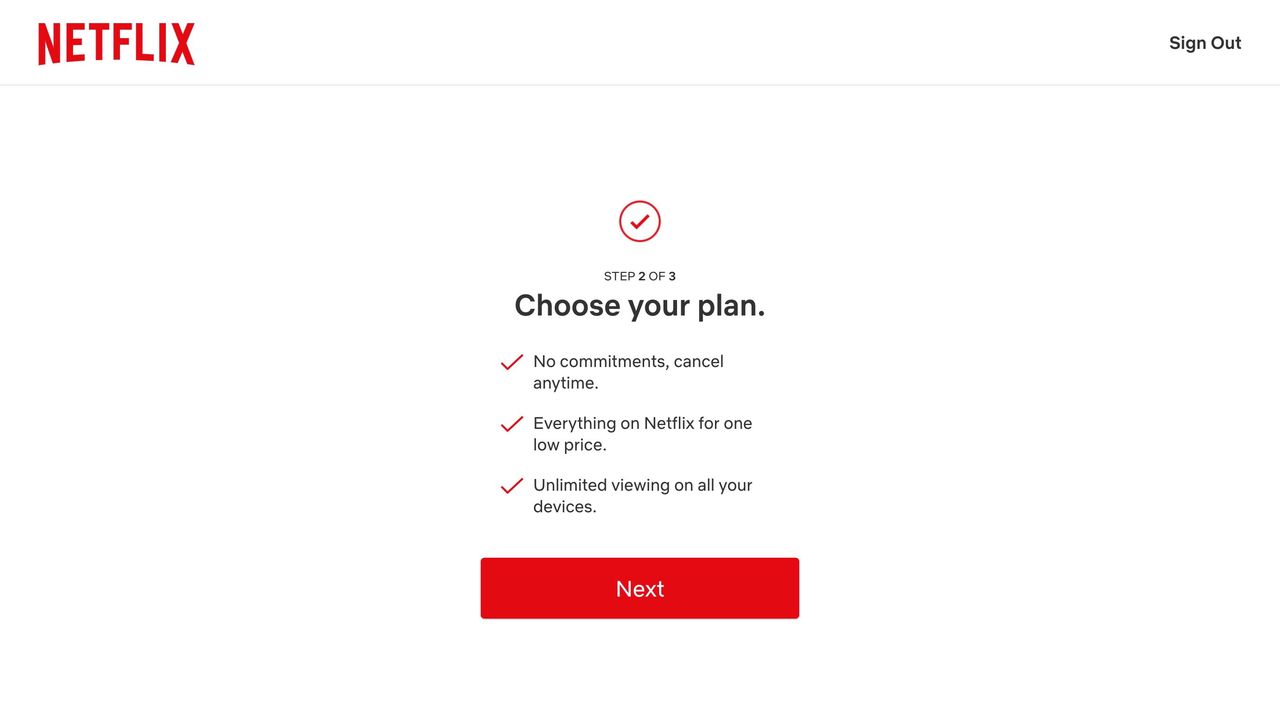
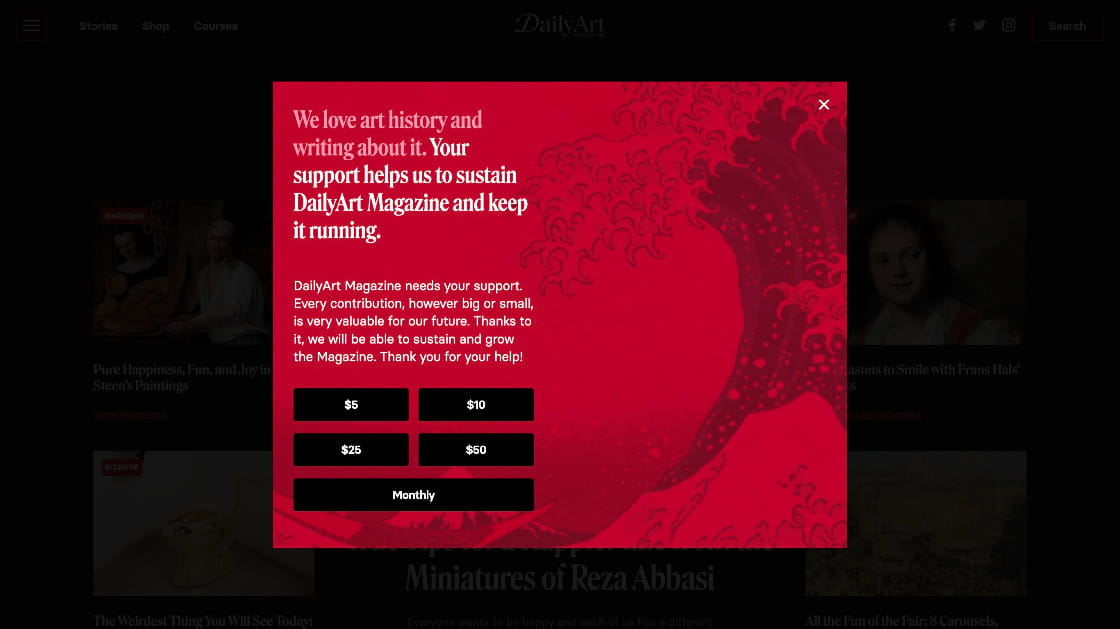
Definition: Hard paywalls completely block access to content unless the user subscribes or pays upfront.
Design Focus: The challenge lies in communicating premium value without alienating potential users.
Examples:
- The Wall Street Journal: Known for a strict paywall that offers high-quality, specialized content. Designers must create a premium look and feel, reinforcing the value of exclusive business insights.
- Financial Times: Prioritizes data visualization and elegant typography to underscore the importance of its market analyses.
2. Soft Paywalls
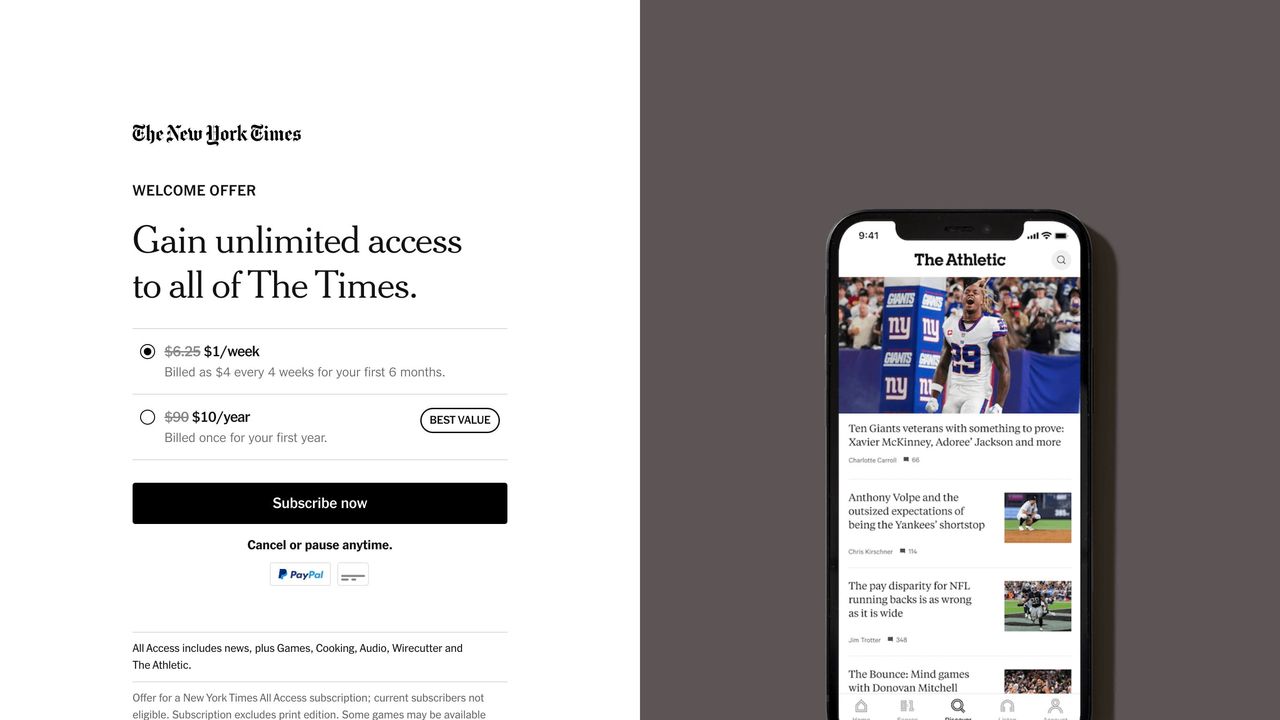
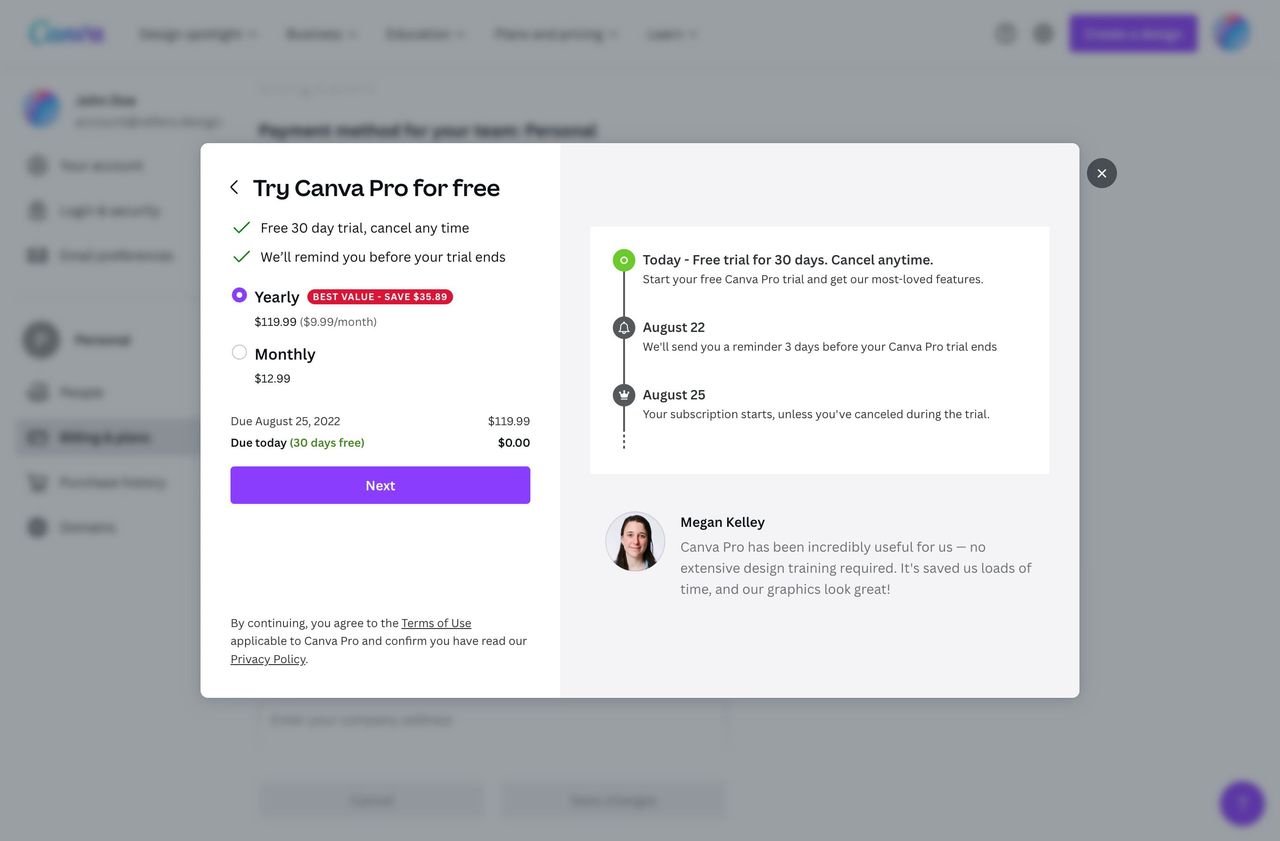
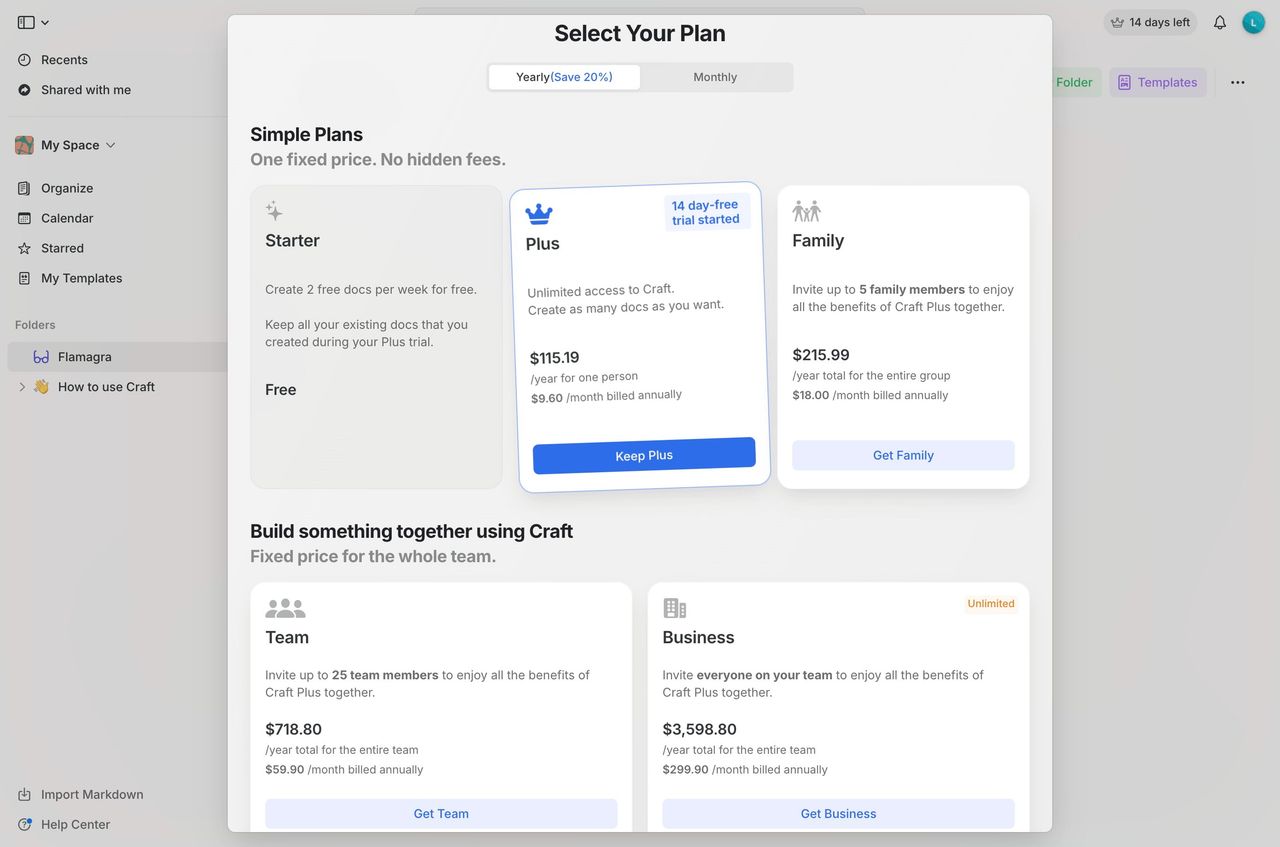
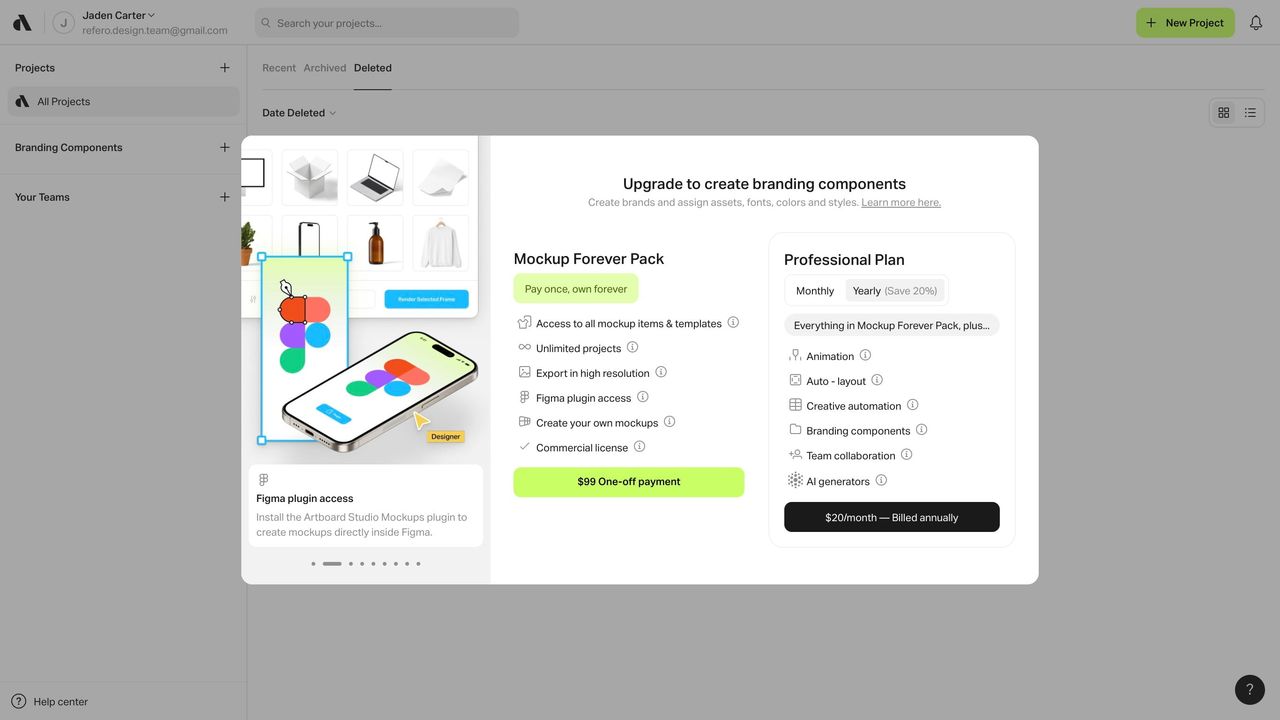
Definition: Soft paywalls allow limited free access before prompting the user to subscribe.
Design Focus: The design should balance free content with compelling calls to action (CTAs) to subscribe without interrupting the user flow.
Examples:
- The New York Times: Offers a set number of free articles per month, which requires a thoughtful design that guides users from free content to a subscription.
- Medium: Provides a smooth transition between free and premium stories, using engaging visuals and subtle prompts that encourage users to explore more.
3. Freemium Models
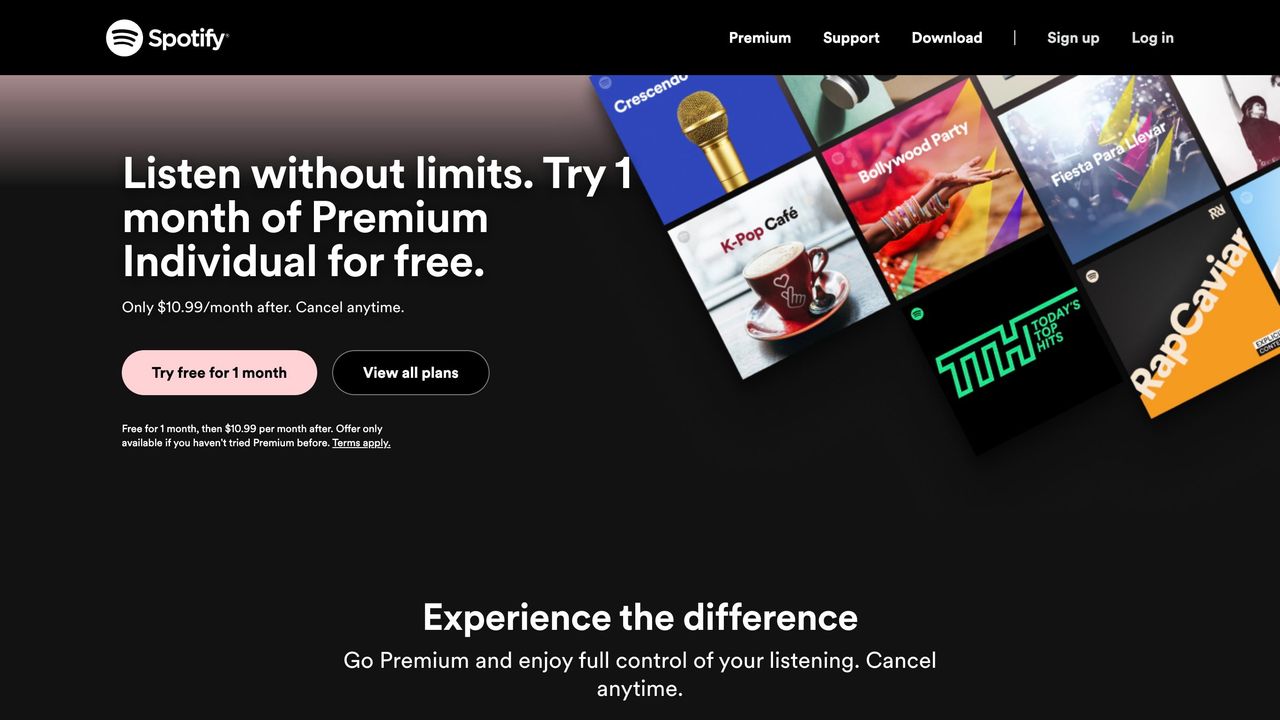
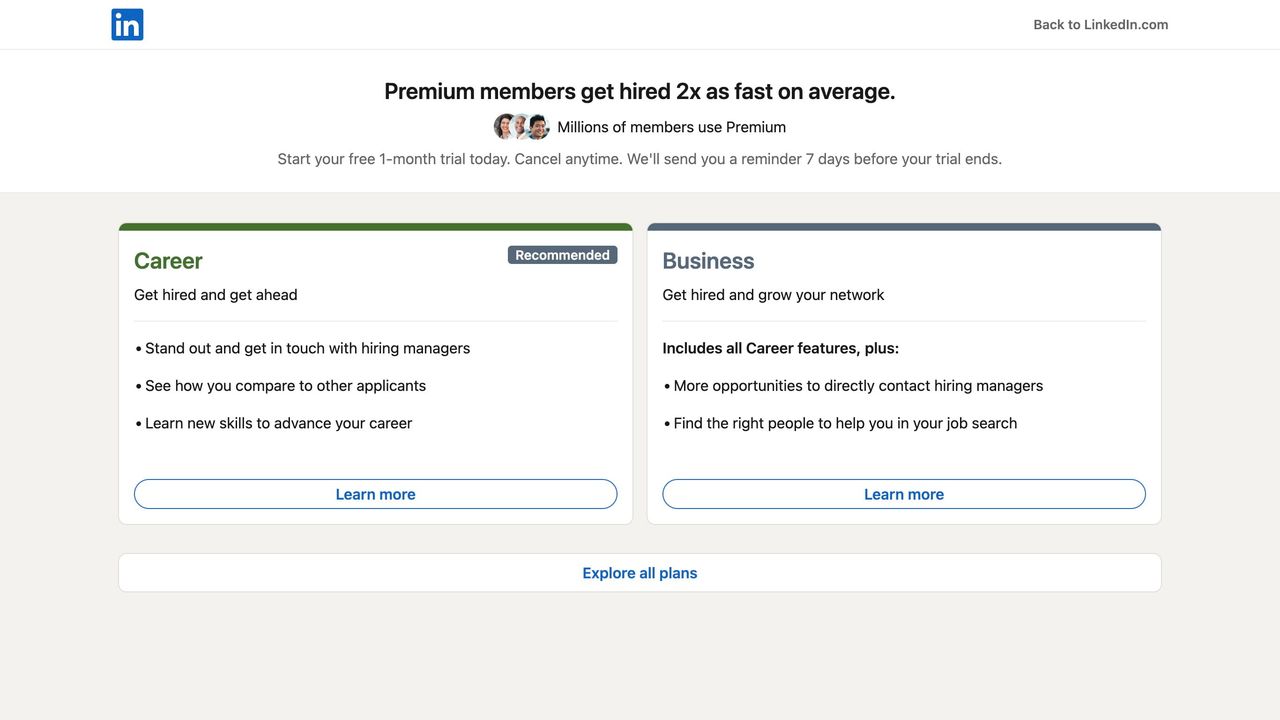
Definition: This model offers basic content for free while premium content is gated behind a paywall.
Design Focus: Product designers must create a clear distinction between free and premium experiences while maintaining consistency in overall design.
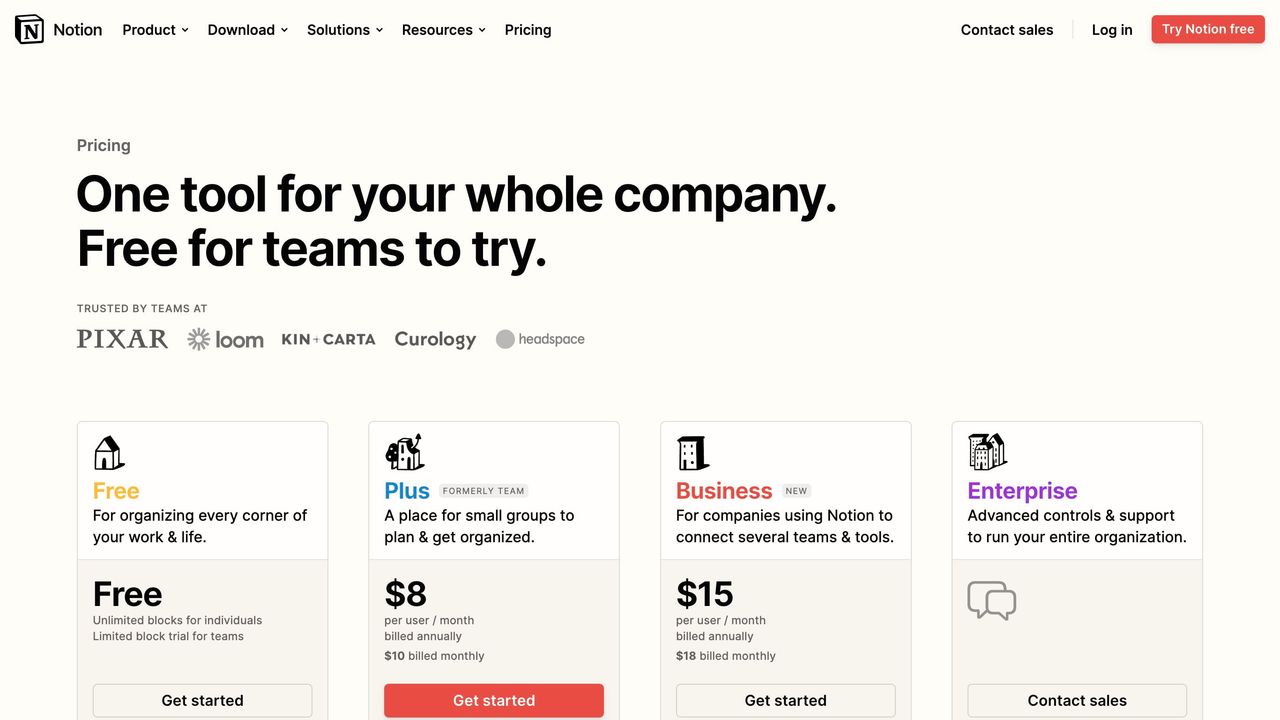
Examples:
- Spotify: Although primarily a music streaming service, Spotify’s design differentiates between ad-supported free and subscription-based premium experiences through clean interfaces and intuitive navigation.
- LinkedIn Learning: The interface subtly promotes premium features, with design elements that guide users towards more in-depth courses and certifications.
4. Metered Paywalls
Definition: Metered paywalls grant a fixed number of free accesses before requiring a subscription.
Design Focus: It is crucial to ensure that users feel rewarded for their initial engagement and understand the limits clearly.
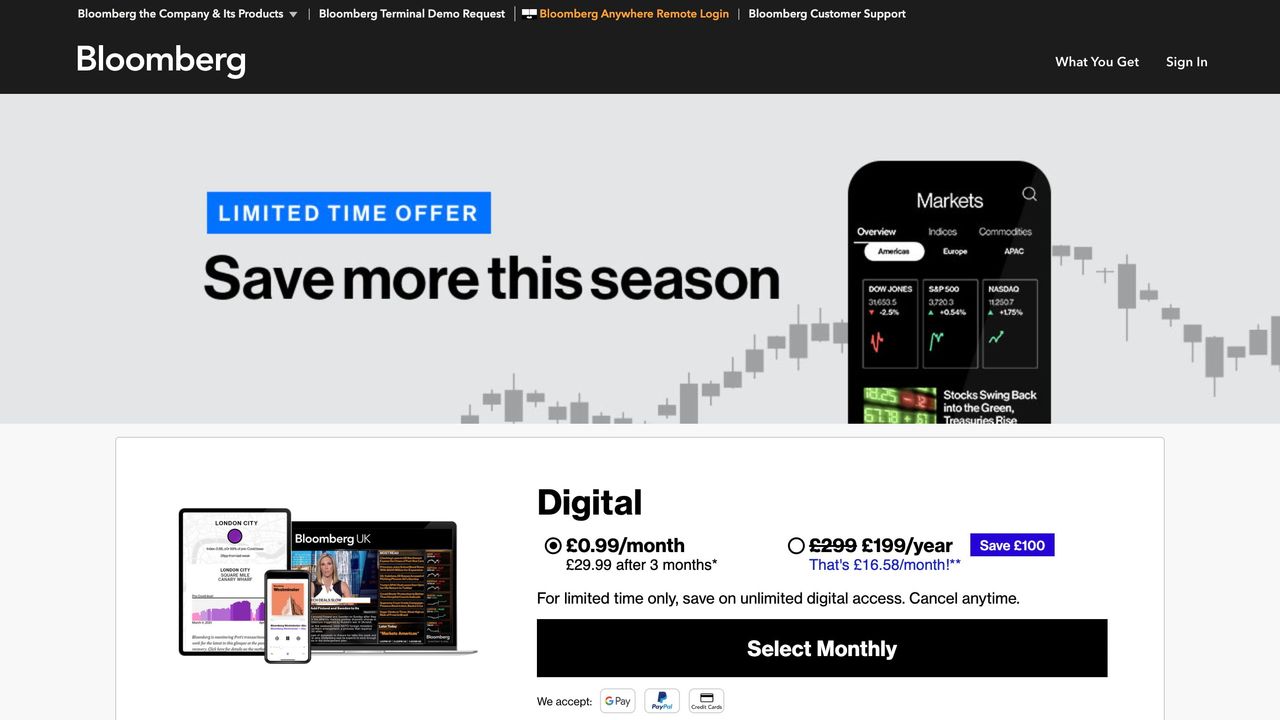
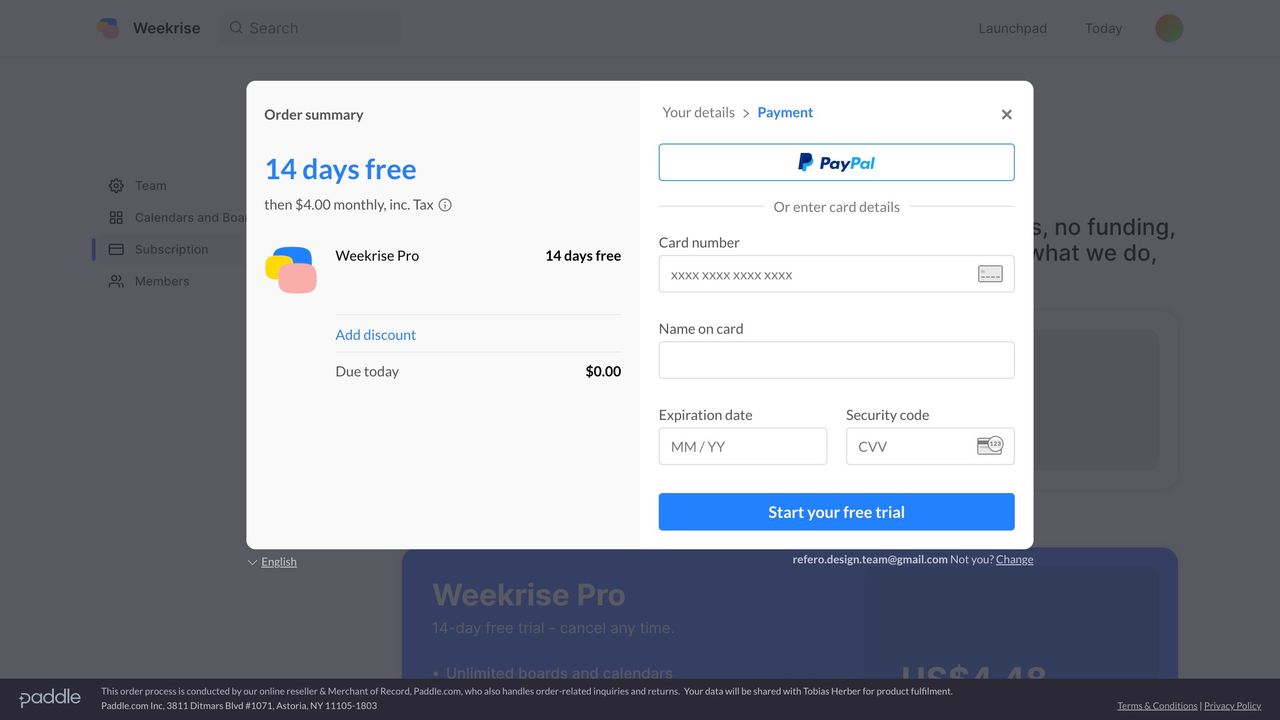
Examples:
- Bloomberg: Uses a metered model where design elements like progress bars and subtle reminders help users track their free article usage.
- The Washington Post: Balances free access with attractive, well-placed CTAs that encourage subscription after the initial usage quota is met.
Benefits of Well-Designed Paywalls for Product Designers
Enhanced User Engagement and Revenue Streams
A well-executed paywall strategy can significantly impact a product’s bottom line. By combining strong visual design with intuitive interactions, designers can help create a smoother conversion path from casual visitor to paying subscriber. Key benefits include:
- Increased Conversion Rates: Clear CTAs and seamless UX can turn free users into subscribers.
- Enhanced Content Valuation: A premium design can elevate the perceived value of the content, making users more willing to pay.
- User Segmentation: Effective paywall designs help in distinguishing between casual browsers and dedicated users, enabling targeted experiences.
Improved Brand Credibility
A thoughtfully designed paywall reflects the quality of the brand. When users see a high level of craftsmanship in how content is presented and monetized, their trust and willingness to invest in premium content increases.
Valuable Data for UX Optimization
Every interaction with a paywall offers insights into user behavior. Designers can analyze data on user drop-off, time spent on the paywall page, and conversion rates to continuously improve the design and overall experience.
Challenges and Best Practices in Paywall Design
Even with clear benefits, product designers face several challenges when implementing paywalls. Here are some common issues and best practices to overcome them:
Common Challenges
- User Friction: Overly intrusive paywalls can frustrate users.
- Content Perception: Poorly designed paywalls may diminish the perceived value of the content.
- Accessibility Issues: Inadequate design can create barriers for users with disabilities, reducing overall inclusivity.
Best Practices for Product Designers
- Clear Value Proposition: Use headlines, subheadings, and microcopy that clearly explain what users gain by subscribing.
- Minimal Intrusion: Design paywalls that are engaging but do not disrupt the user journey abruptly.
- Consistent Aesthetics: Maintain brand consistency with colors, fonts, and imagery that align with the overall design language.
- User Testing: Conduct A/B testing and gather user feedback to identify friction points and areas for improvement.
- Data-Driven Iterations: Use analytics to monitor user interactions and refine the design continuously.
- Accessibility First: Ensure that the design is accessible to all users by following WCAG guidelines and testing on various devices.
Case Studies: Successful Paywall Implementations
The New York Times: A Meticulous Blend of Free and Premium Experiences
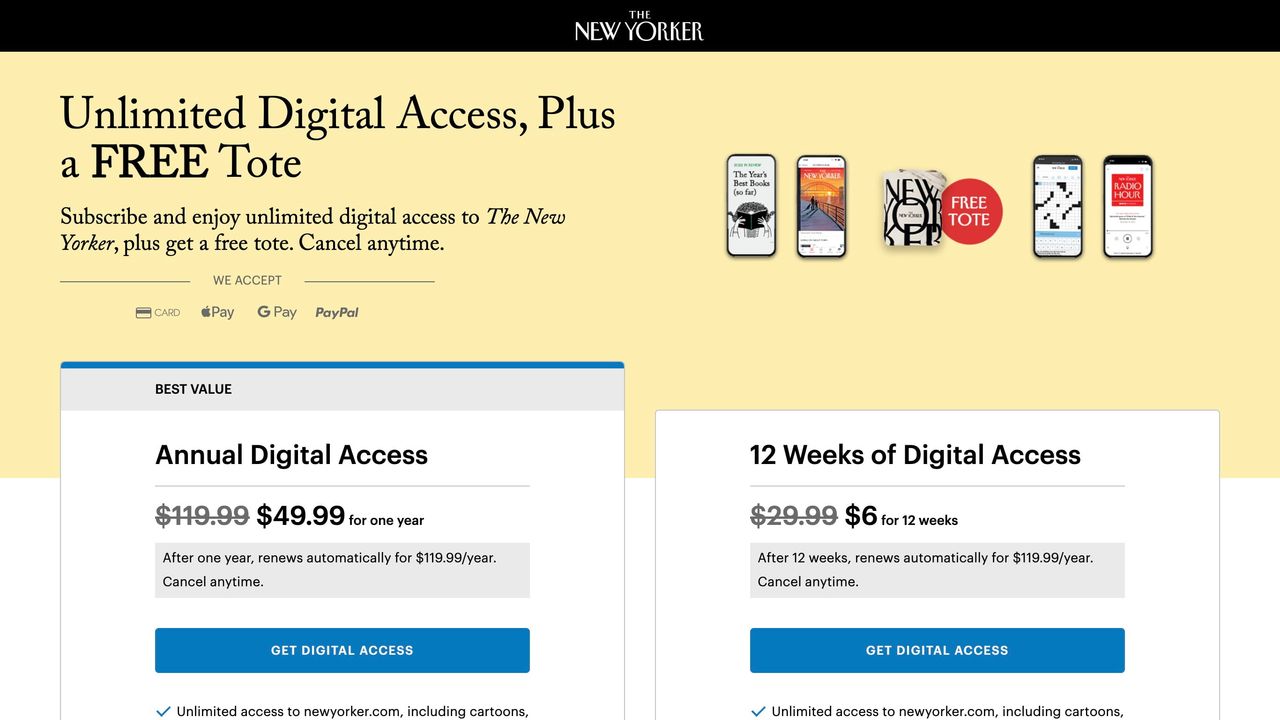
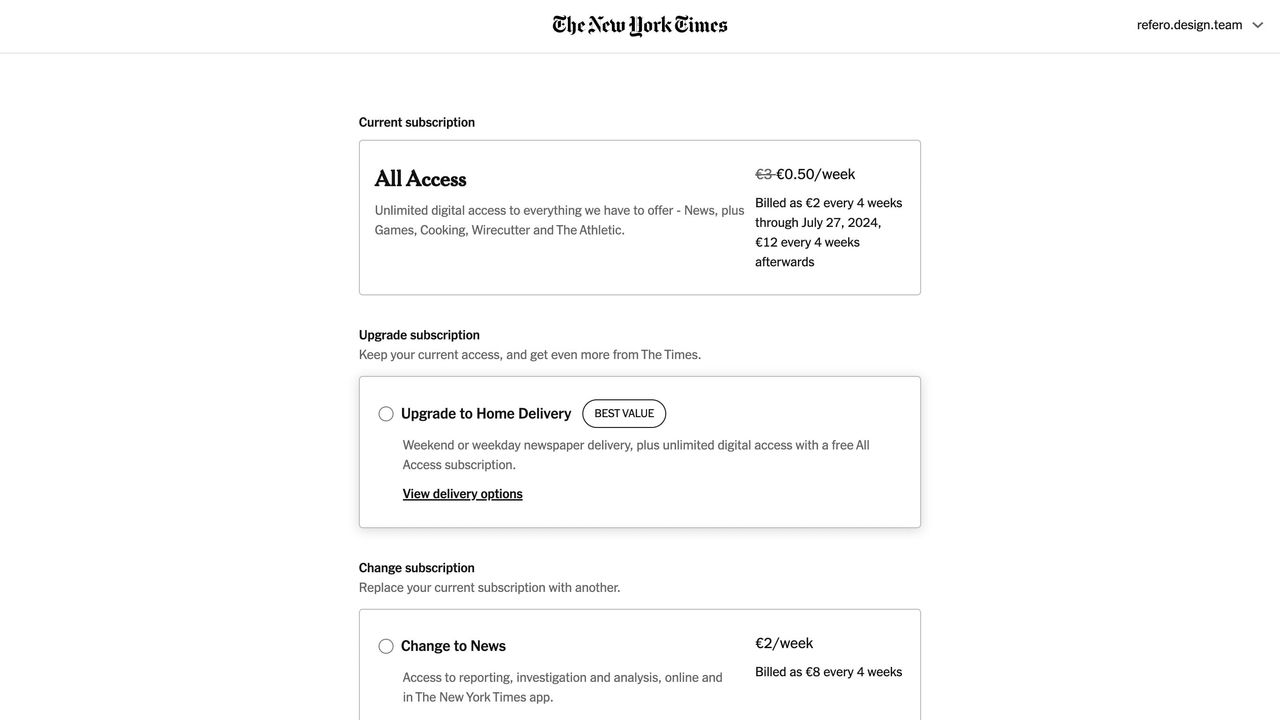
The New York Times offers an exemplary model for balancing free access with premium content. Their metered approach, where users can read a limited number of articles for free, is supported by a clean, user-friendly design. For product designers, the focus is on providing a frictionless transition from free content to a subscription model, enhanced by subtle prompts and visually appealing CTAs.
 The New York Times Screens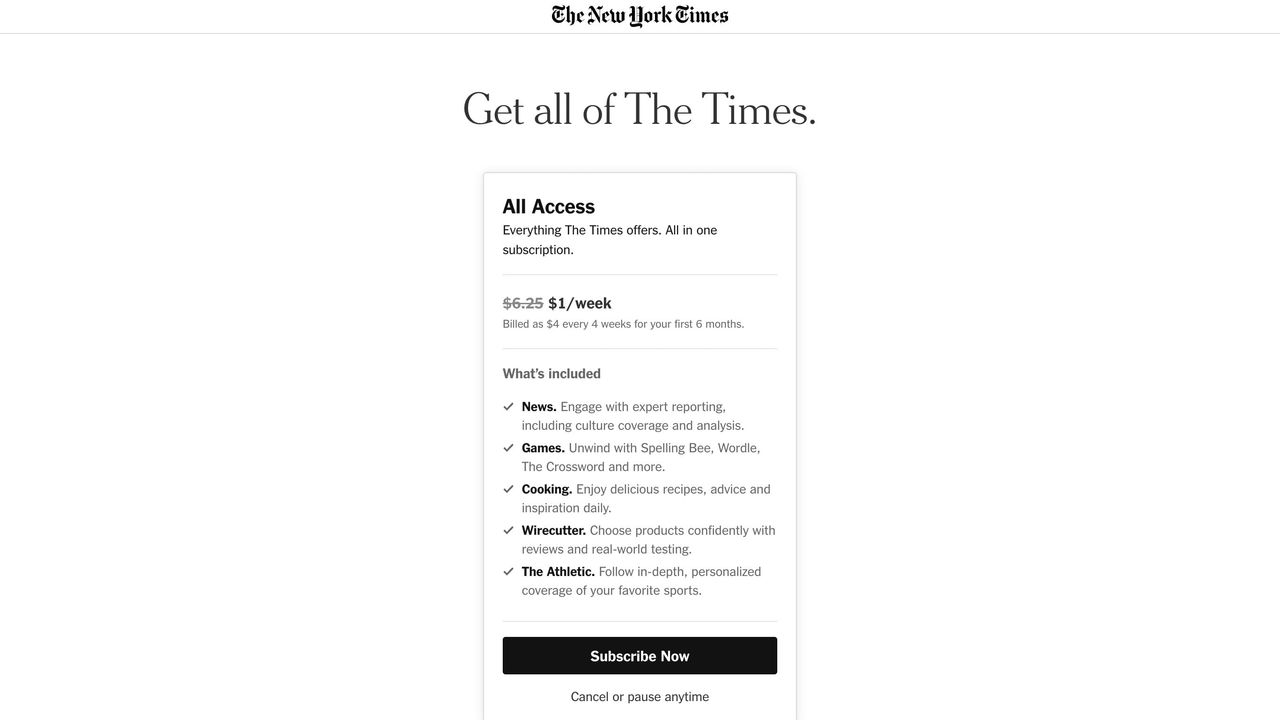
Substack: Empowering Creators Through Direct Monetization
Substack’s platform is designed for independent creators who want to monetize their newsletters. The design is minimalistic yet effective, emphasizing simplicity and ease of use. Product designers can take cues from Substack by focusing on the clarity of subscription options and reducing any unnecessary complexity in the user flow.
Netflix: The Power of a Subscription-Only Model
Netflix uses a hard paywall that requires users to subscribe before accessing any content. The design reinforces simplicity and efficiency — critical for keeping users engaged. Key takeaways for product designers include the importance of a straightforward registration process and a highly intuitive interface that guides users from sign-up to content discovery seamlessly.
Designing a Paywall: A Product Designer’s Checklist
To help you design a paywall that converts and delights users, consider the following checklist:
1. User-Centric Research
- Conduct Surveys and Interviews: Understand your target audience’s behavior and willingness to pay.
- Analyze Competitors: Study other paywall implementations to learn from their successes and pitfalls.
2. Wireframing and Prototyping
- Sketch User Journeys: Map out the entire user flow from landing on the page to subscription.
- Iterate on Prototypes: Use rapid prototyping tools to gather user feedback before final implementation.
3. Visual and Interaction Design
- Consistent Branding: Ensure all elements align with your brand’s visual identity.
- Clear CTAs: Design buttons and links that stand out and communicate the next step clearly.
- Responsive Design: Optimize the layout for different devices and screen sizes.
4. User Testing and Analytics
- A/B Testing: Experiment with different designs and messaging to see what resonates best with your audience.
- Monitor Engagement: Use analytics to track metrics such as conversion rates, bounce rates, and user session durations.
Conclusion: Embracing Design to Drive Monetization
Paywalls are more than just revenue tools — they are an opportunity for product designers to showcase their ability to blend monetization with excellent user experience. By studying successful examples, implementing best practices, and continuously iterating based on user feedback, you can design paywalls that not only generate revenue but also enhance the overall perception of your product.
Whether you choose a hard paywall, a soft model, or a metered approach, remember that the key is to keep the user at the center of your design decisions. Explore the examples discussed above, experiment with your designs, and let user insights drive your monetization strategy.